

 New Code Sent!

20 oven settings and symbols explained
In modern kitchens, ovens come with an array of settings that can make baking and cooking easier, but only if you know how to use them correctly. Understanding these functions can lead to better results in your baking and help you keep your family’s day moving.
This guide breaks down common oven settings and the symbols you may see on your appliance, explaining how each mode works and when to use it.
You’ll explore key oven controls like Broil, Bake, Convection and Roast, along with practical guidance on using them effectively for everyday cooking. Say goodbye to time wasted with undercooked or over-browned dishes—it’s time to master your oven.
Below, you’ll find a categorized list of common oven settings and symbols, followed by quick-reference tips to help you use each one with confidence.

Sign Up for More Insights to Stay Connected
Enjoy articles like this? Get helpful guides and appliance care tips sent straight to your inbox.

Your subscription was successful
Thank you for signing up. Keep an eye on your inbox for our next newsletter.


What are the different oven settings?
The oven is one of the most important tools in a kitchen, and it comes with a variety of settings that can help you get the results you want when cooking. From Air Fry to Convection Bake, Keep Warm to Steam Clean, each oven setting serves its own purpose and provides different levels or types of heat.
Understanding these oven settings can help you make the most out of using your oven, whether it’s part of a range with a stovetop or a standalone wall oven, while helping ensure your food turns out just how you like it. Below are different oven settings explained to help you get the optimal use out of your appliance. Note that these settings may vary depending on the make and model of your oven, so refer to your owner’s manual for guidance.
1. Preheat and Rapid Preheat
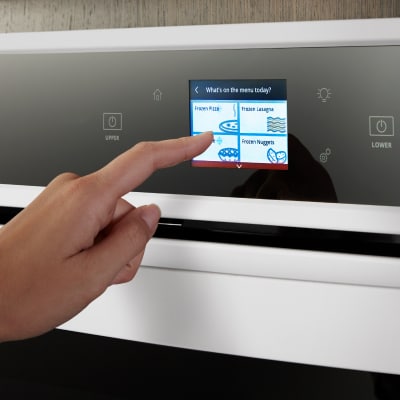
Preheat is the oven setting that heats up the oven to a specific temperature range. While the actual oven temperature will be slightly higher than your set temperature to offset heat loss when your oven door is opened, this setting helps ensure your food starts cooking at the right temperature.
Select Whirlpool® Ovens offer a Rapid Preheat feature that uses all heating elements and a fan to reach temperature more quickly, helping save time and energy while creating ideal conditions for single-rack baking.
2. Broil
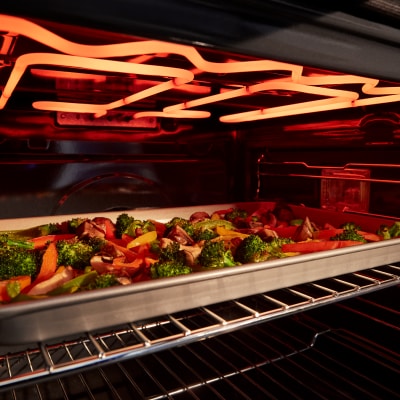
The Broil oven setting is a method of oven cooking that uses direct, intense heat from the oven’s top element. It’s an ideal oven setting for quickly cooking, browning, charring or caramelizing food, such as for steaks and vegetables or finishing off a cheese-topped casserole.
Because the heat typically comes from the top element, rack position plays a key role in your results. Placing food closer to the top exposes it to more intense heat and can quickly sear or brown the outside.
Broil is often used for finishing dishes, like melting or crisping a topping, but it can also be used to fully cook thinner cuts of food thanks to the high, direct heat.
3. Bake (conventional)
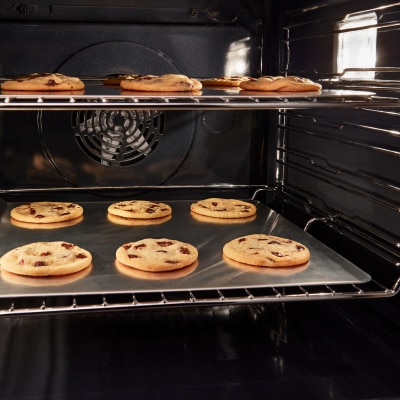
The conventional Bake oven setting is one of the most common oven cooking methods. This setting uses heat that comes from both the oven’s top and bottom elements to cook food. It’s ideal for a variety of cooking applications like baking cakes, cookies, casseroles, au gratin potatoes and more.
Because the conventional Bake oven setting does not use a fan, it creates a more still cooking environment, which may be better suited for delicate foods like cakes and quick breads.
4. Convection Bake
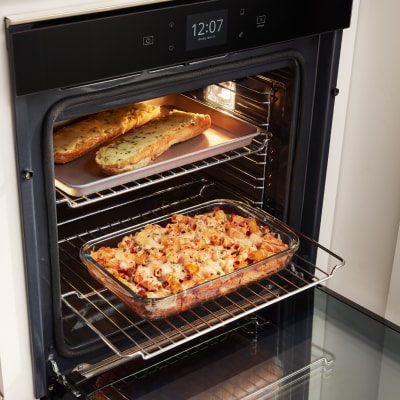
Convection ovens and Convection Bake settings use a fan to circulate hot air throughout the oven cavity, promoting even cooking across all racks and faster baking times for certain dishes. This oven setting is especially helpful for baking multiple trays of food at once or heavier dishes like lasagna or roasts.
Because the fan circulates heat, Convection Bake makes it convenient to cook on multiple racks at the same time without needing to rotate dishes.
When using Convection Bake, some recipes may cook faster or brown more quickly, so you may need to adjust traditional cook times or temperatures depending on your oven model and the dish you’re preparing.
5. Roast
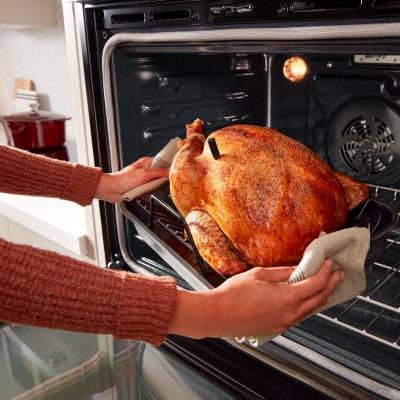
The Roast oven setting is ideal for cooking dishes like meats and poultry with surrounding heat from both the top and bottom elements. With Roast, the oven heats to a higher temperature than baking, which helps achieve a crispy browned exterior for food like whole chicken, pork shoulder or other dense cuts of meat. You can also use this setting to char sturdy roasted veggies like carrots.
6. Convection Roast
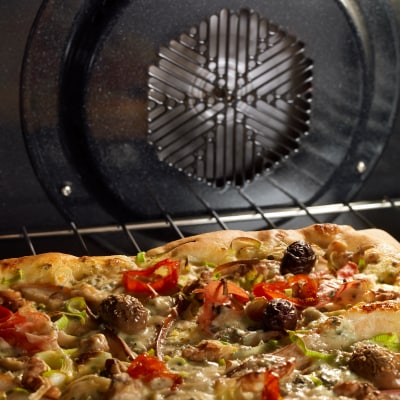
Similar to Convection Bake, this oven setting uses fan-assisted heating that circulates hot air throughout the oven cavity. Convection Roast is ideal for cooking meats and poultry, as well as dishes like pizzas and casseroles. The intense heat and moving air can also help you achieve crispy, browned exteriors or caramelized finishes on roasted meats, vegetables and more.
Convection Roast uses this circulating air to help food cook evenly and brown quickly. Convection Bake is often used for baked goods, Convection Roast is designed for foods that benefit from a crisp exterior and tender interior, such as larger cuts of meat and poultry.
The circulating air helps cook these larger, denser foods more evenly, making it especially useful for roasts, whole chickens and hearty vegetables that require thorough cooking and browning.
7. Keep Warm
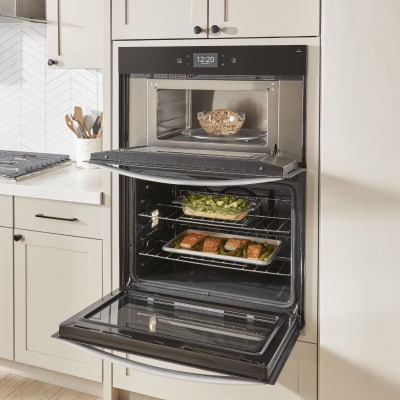
The Keep Warm oven setting is designed to maintain a food’s temperature without further cooking it. This oven setting can be used for items like side dishes, breads, casseroles and desserts that are meant to stay warm until served.
8. Air Fry
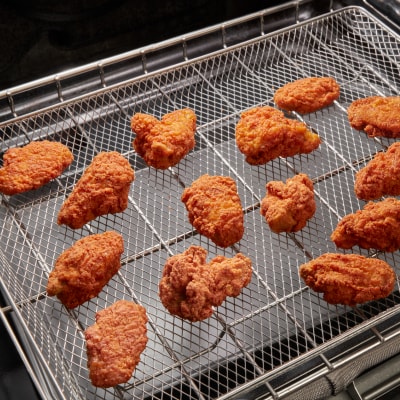
Air Fry oven settings are designed to crisp up foods with minimal oil. Unlike standard baking, which uses stationary heat, Air Fry uses a fan to circulate hot air rapidly, helping create a crisp, fried-like texture on the outside while cooking food. The Air Fry oven setting is ideal for cooking frozen foods, such as french fries and chicken nuggets, as well as fresh items like vegetables, meats and fish.
Select Whirlpool® Ovens come with a dedicated Air Fry function to help you get crispy results for favorites like wings and fries.
9. Frozen Bake™ Technology
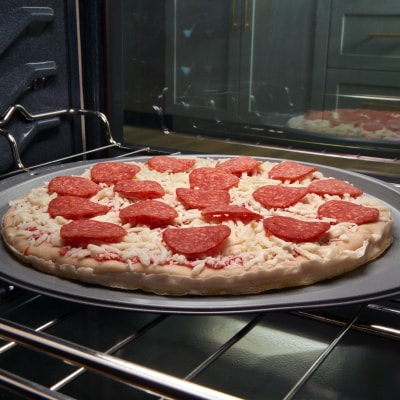
Frozen Bake™ Technology is a Whirlpool brand oven setting on select models and is designed to cook frozen foods quickly without preheating. Select Whirlpool® Ovens with Frozen Bake™ Technology help you skip preheating to cook your favorite frozen items in fewer steps. This setting is ideal for prepared frozen items like pizza and lasagna, with preprogrammed settings that automatically adjust cooking times. Follow package instructions when available to help ensure proper cook times and results.
10. Sabbath Mode
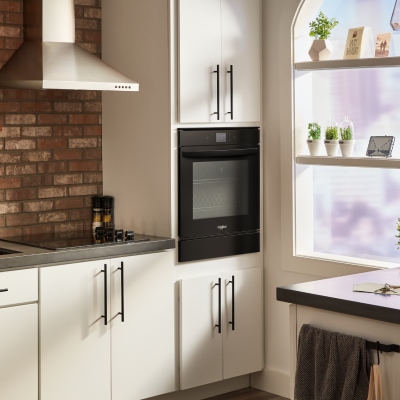
The Sabbath Mode oven setting is designed to automatically turn the oven off after a set period of time in compliance with kosher laws. This oven setting is ideal for those who follow the kosher dietary guidelines, as it ensures food remains heated without the need to manually adjust the appliance on the Sabbath day.

11. Delay Start
Select ovens come with a Delay Start option designed to let you pre-program your oven to a preferred cook time and temperature at a delayed start. This oven setting is ideal for preparing meals ahead of time and having them ready as soon as you are. The Delay Start keypad allows you to schedule when an oven function begins. Avoid using it for items like breads and cakes, which may not bake correctly with a delayed start.

12. Self-Clean
The Self-Clean oven setting is designed to help you keep up with oven cleaning. This setting heats up the oven to higher temperatures than normal, burning off food particles and spills so they can be wiped away with ease for a clean appliance ready for your next family dinner.
13. Steam Clean
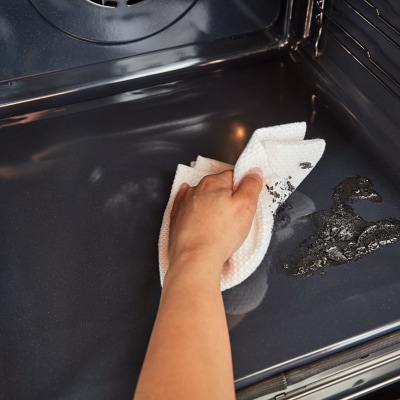
Steam Clean settings, found on select Whirlpool ovens, are designed to use water in addition to heat to help loosen food particles, so you can quickly wipe down and clean the oven without much effort. Clean up after everyday light spills using only heat and 1-1/4 cups of water—no harsh chemicals or cleaners needed. Used periodically to clean light spills on the bottom of the oven, this setting keeps the oven clean and reduces the need for frequent self-clean cycles.
Compare self-clean vs. steam-clean ovens to find the best option for your kitchen.

14. Air Baking
Air Baking is an oven setting found on select Whirlpool® models, such as this 30-inch Electric Smart Range with Air Cooking Technology and Steam Clean. Air Baking allows you to go from gooey to golden and get even results when baking on multiple racks. The high-speed fan optimizes air flow and drives consistent heat throughout the oven. It is ideal for getting golden results on breads, pastries and more.

15. Slow Cook
The Slow Cook feature, found on select ranges from Whirlpool brand, lets you heat up all day dishes. A high speed fan optimizes air flow to maintain a low, even temperature for longer cook times to thoroughly heat up your food. Use it to tackle your to-do list while soups, pastas and roasts come to temp without the worry.
Shop Whirlpool® Wall Ovens
Get dinner on the table fast with Whirlpool® Wall Ovens. Select Smart appliances offer features like Scan-to-Cook Technology that delivers customized cooking instructions straight to your oven. The Keep Warm Setting, found on select Whirlpool® Wall Ovens, such as this one, keeps dishes from getting cold by delivering low heat to the oven. And the Rapid Preheat option, found on select wall ovens from Whirlpool brand, preheats the oven 25% faster and saves time and energy.
Explore the full lineup of Whirlpool® Wall Ovens to find the right one for you and your family.

Oven symbols
Oven symbols help simplify cooking by visually representing different settings and functions, making it easier to choose the right mode at a glance. While symbols may vary slightly by brand, they generally follow common standards, so check your manual for model-specific icons.

16. Conventional Bake
A bar on the bottom and the top may indicate that both elements will be used with this setting. Baking relies on moderate temperatures to cook food through and develop a golden finish. It’s ideal for dishes such as casseroles, quiche, au gratin potatoes and lasagna, along with smaller portions of chicken or fish.

17. Bottom Heat Only
A single lower bar symbol may indicate bottom heat only on select models. This setting may be used to create crispy crusts on pizzas or tarts.

18. Top Heat / Broil (Grill)
A zigzag line at the top may represent the high heat emitted from the top element for broiling. The broil setting cooks food quickly with direct heat from the top element, producing a seared finish that’s similar to grilling. Salmon can be quickly and easily broiled, as the high heat helps caramelize its natural sugars, enhancing flavor while creating a lightly crisp exterior and maintaining a moist, tender interior.

19. Convection / Fan Oven
A fan symbol may indicate convection heating. With a built-in fan, convection ovens circulate hot air to reduce moisture and cook evenly across multiple racks. True convection models include an additional heating element, helping deliver browned meats, caramelized vegetables and flaky baked goods.

20. Keep Warm
A plate graphic with steam lines above it may indicate the Keep Warm setting. When you’re in the middle of doing other things for your family, this setting delivers low heat to food, such as sides, breads, casseroles and desserts, to keep it warm in the oven until you’re ready to eat.
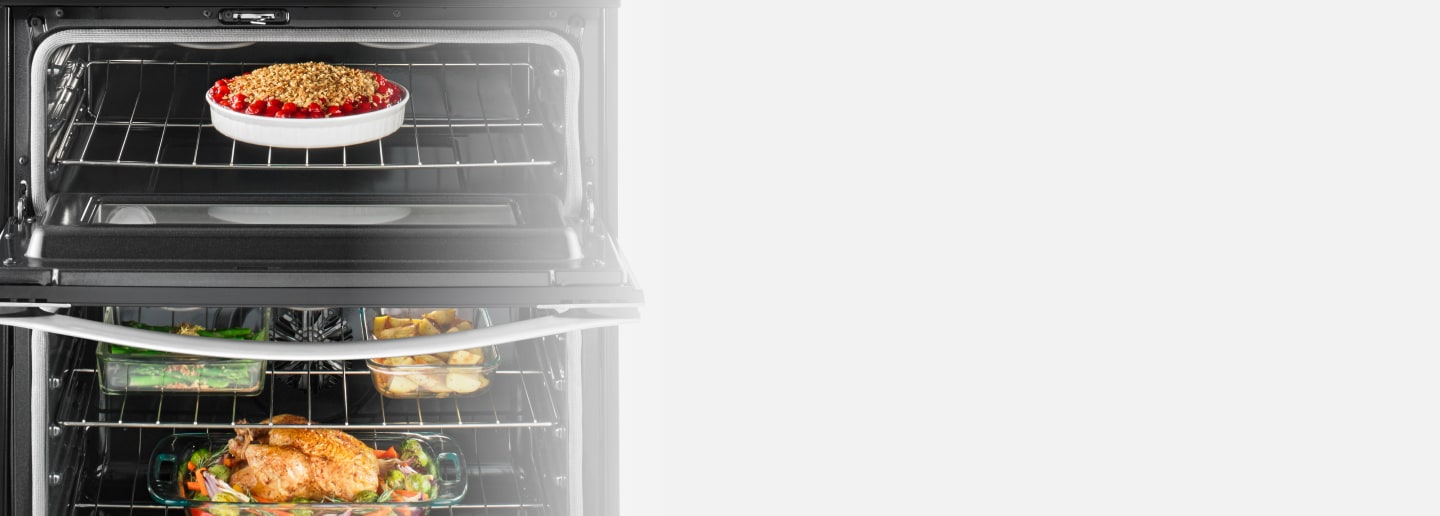
True Convection with Third Heating Element
Get dinner on the table quickly
True convection cooking helps you cook foods faster by using a third element plus a fan to distribute hot air evenly over, under and around food
Oven settings FAQs
Find quick answers to some of the most common questions, from choosing between Bake and Convection Bake to understanding heat sources, timing functions and temperature settings, below.
What is oven top and bottom heat?
Depending on the oven settings chosen, different heat sources are utilized to cook food correctly. Broiling is an example of an oven setting that uses top heat only; this setting allows you to quickly sear steaks or vegetables while creating a golden brown top layer.
Some oven settings require both the top and bottom heating elements for optimal results when cooking. Bake and Convection Bake settings, for example, use oven top and bottom heat to cook food all around. Roast also uses both elements to slowly increase the oven’s temperature over time to roast tender meats and poultry dishes.
Should I use Bake or Convection Bake?
Your oven setting choice depends on what you’re cooking and your desired results.
Conventional Bake oven settings use top and bottom heat for consistent, traditional results, while Convection Bake uses a fan to circulate hot air for even cooking across multiple racks and fast results on some dishes.
Use Bake for single-rack recipes and delicate items like cakes, cookies and casseroles that benefit from steady heat. Choose Convection Bake when cooking on multiple racks or when you want fast, even browning on foods like pizzas or lasagna.
Should I use Roast or Convection Roast?
Roast oven settings are ideal for slow-cooking meats and poultry, or even reheating steak, while Convection Roast oven settings use fans to circulate hot air throughout the oven cavity.
When cooking meats, roasting uses the same all-over heat as conventional baking. Convection Roast can be used when you want to cook heavy dishes like lasagna bakes or casseroles that need even browning.
What temperature should I set the oven to keep food warm?
The oven setting you use to keep food warm depends on the type of food you’re trying to keep warm. Typically, the oven should be set between 145°F and 190°F. Keep Warm settings are available on many oven makes and models and serve this purpose at the touch of a button.
This oven setting is ideal for meals, side dishes, breads, casseroles and desserts that you’d like to keep warm until serving. Be sure to only keep food warm for as long as it is safe to do so, according to the USDA.
Unlike low-temperature baking, which continues cooking, a Keep Warm setting is designed to maintain serving temperature without further cooking.
Covering food can help prevent moisture from escaping, while crisp foods may maintain their texture better with a looser covering. For best results, food should only be kept warm for a limited time; if you won’t be serving food within an hour, it’s better to refrigerate it and reheat later rather than keep it warm.
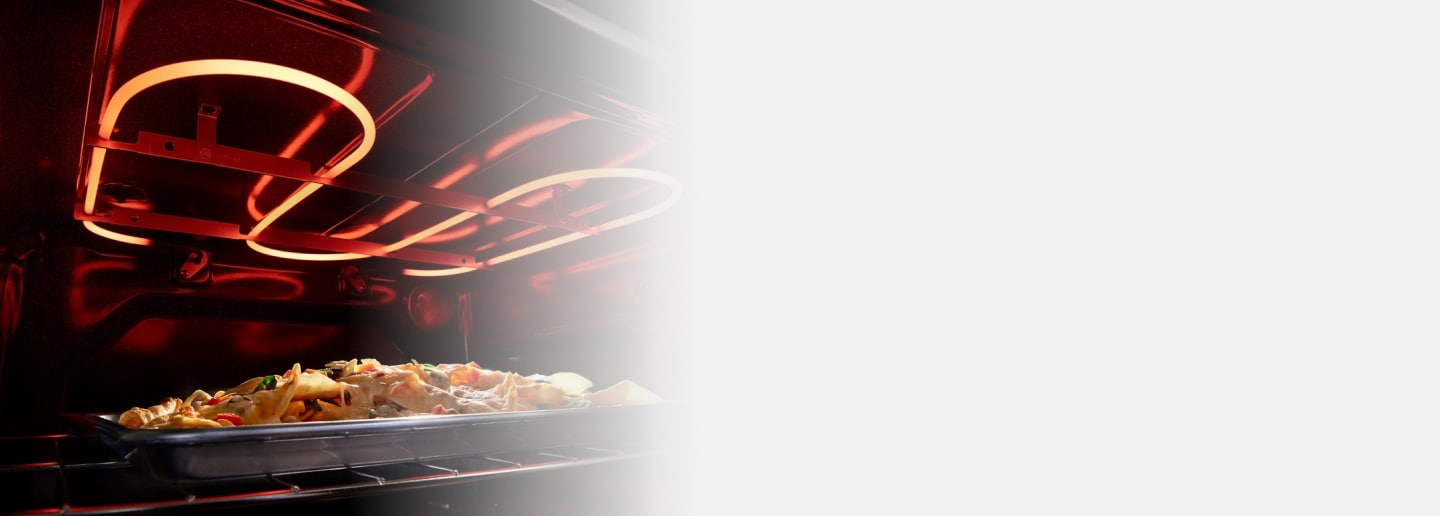
No Preheat Mode
Make the most of your time in the kitchen
Take preheating off your plate with No Preheat Mode—simply place your food in the oven and start baking
How do I ensure my oven is off?
To ensure that your oven is off, press the “off” or “cancel” button on your oven control pad. (Buttons may differ by make and model, so read your user manual to be sure.) Check the oven display and make sure that it reads “off” or “0.” Be sure to reference the owner's manual if you’re ever unsure.
You can also use oven settings like Delay Start to pre-program when you want the oven to turn on and off. Select Whirlpool® Ovens come with a Sabbath Mode setting for those who follow kosher dietary laws, which turns off the oven after a set period of time.
What is cook time on an oven?
Cook Time is an oven control available on some makes and models that lets you set the cooking duration. The oven then runs for that set time.
What does oven cycle mean?
Oven cycle or “cycling” refers to the way oven burners or elements cycle on and off as needed to help provide a consistent temperature.
Shop Whirlpool® Ranges
With Whirlpool® Range settings like Air Fry Mode and Frozen Bake™ Technology on select models, you’ll be able to make favorites just the way your family likes them. Select models, such as this electric range from Whirlpool brand, feature 10 Cooking Modes, which help you take your favorite meals from fresh, fridge or freezer to fabulous with the Air Cooking Technology of No Preheat Air Fry, Air Baking, Air Roast, Air Broil and Air Reheat, or use traditional heating modes like No Preheat Mode, Bake, Slow Cook, Broil and Keep Warm. With the Broil setting found on select Whirlpool® Ranges, you can redefine mealtime with Broil to make crispy-melty nachos, juicy-seared meat, toasty grilled cheese and more.


Helping kids stay in school
Learn how Whirlpool helps end the dropout cycle by giving kids access to clean clothes through the Care Counts™ Laundry Program
Was this article helpful? Pass it on
Explore more with Whirlpool brand